
High Dynamic Range Imaging ( HDRI or just HDR ) is a technique which was developed to produce high dynamic range images from the photographs taken at different exposures of light. In comparison with normal digital imaging techniques HDR imaging techniques can produce a wider range of luminescence between dark and light. The main intention of HDR is to differentiate the wide range of intensity levels found in real scenes ranging from direct sunlight to deepest shadows.
10 best Tutorials for creating HDR Images
With the help of Tone Mappnig techniques we can easily produce HDR images. In tone mapping , by combining images taken at different exposures to produce a sinlge HDR image. We can also produce HDR images in photoshop by merging Images. If applied properly then once can produce beautiful pictures with high dynamic range.
Let us see some of the HDR image creation tutorials available :
1. Exposure blending tutorial – HDR Image creation
A little background: HDR is a type of image manipulation. The goal is to blend multiple exposures of the same scene into a single image in order to get a result that has more dynamic range than your camera is capable of recording.

2. Learn how to create awesome HDRs
In this post, you’ll learn the steps you need to take to create cool HDR images. Find out how to select a great scene, and how to properly take the images. Next, we’ll go over what Programs and techniques you can use to assemble the HDR. Only got one RAW file, but you still want an HDR? No problem, we’ll go over that too.

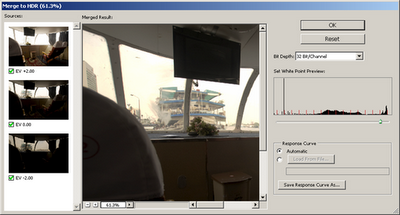
3. Adobe Photoshop CS3 Tutorial – HDR
Photoshop’s Merge to HDR (High Dynamic Range) automated feature has been improved for CS3, but it is still not able to merge exposures where subjects have moved between the separate exposures.
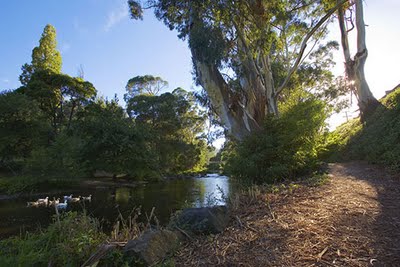
4. HDR Photograph Tool
The Merge to HDR command in Photoshop lets you combine several of the same scene with different exposures into a single HDR 32-bpc (bits-per-channel) image. First, you’ll need to have three images taken at different exposures. Run Photoshop and choose File > Automate > Merge to HDR.
5. The Definitive Guide to Realistic HDR
This tutorial will attempt to demonstrate how to make a realistic HDR, one that is virtually indistinguishable from a single exposure. The biggest goal is producing a tutorial that can stand as a standard by which anyone can learn to create a balanced HDR. Ultimately, the processing choices are yours. These are the building blocks.

6. Photoshop CS2 High Dynamic Range
The latest version of Photoshop, CS2, offers an intriguing new function for creating 32-bit High Dynamic Range (HDR) images. It offers the ability to combine multiple individual images with different exposures into a single 32-bit floating-point image with expanded dynamic range.
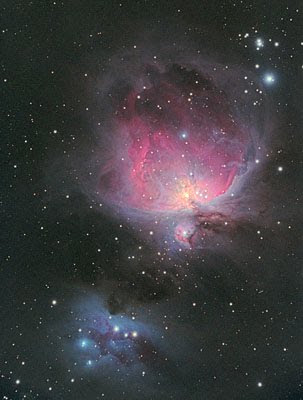
7. HDR Tutorial Using Photomatix and Photoshop
Thinsite.net has a neat tutorial on High Dynamic Range
(HDR) photography, from capturing HDR shots properly, merging the bracketted shots into a single HDR exposure using Photomatix and the post processing steps in Photoshop.
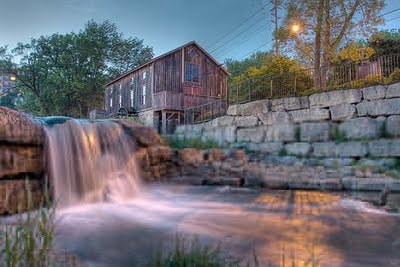
8. PhotoShop CS3 HDR photograph Tutorial
In this tutorial we will take a look at HDR photography. HDRI (High Dynamic Range Imaging) was originally used in 3D and is now in full force in photography. Basically it’s the process of taking multiple exposures and merging them together into a single 32 bit image. Let me explain: A camera is capable of capturing a limited amount of tones in a single photo.

9. How to create HDR images using Photomatix
HDR images are generated by taking multiple pictures of the same scene at different exposure settings and combining them digitally on a computer. Generally, the more pictures that are taken at different exposure settings the better the resulting HDR image will be.
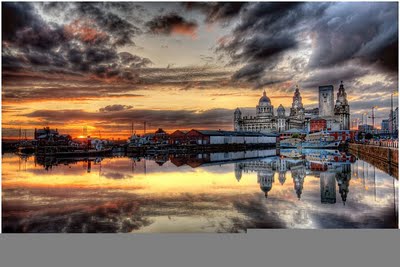
10. Merging Photos to an HDR Image in Photoshop
This is an article about Photoshop HDR imaging. The following HDR workflow is explained in detail:
* Merging photos to an HDR image
* Processing the HDR image
* Tone Mapping
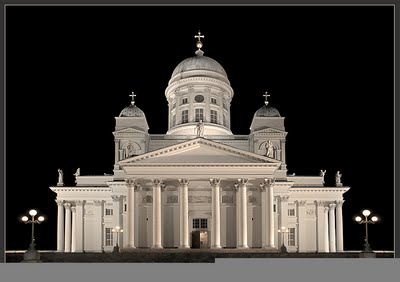
60+ Incredible HDR Photographs
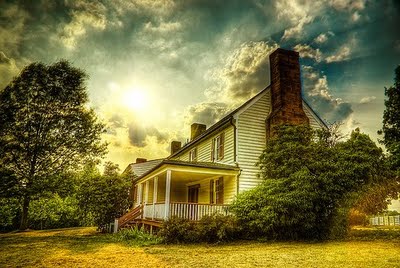
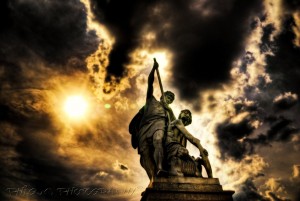
With the rising popularity of digital cameras and easy-to-use desktop software, HDR images are becoming more popular. So I have collected 100+ smashing HDR images which will take your breath away.



Popular


Editor’s Pick
-
February 12, 2010 25 Useful Tools for Registering and Monitoring Domain Name
Anything from a company to products, websites to blogs require a good name to have a good impression at the audience. Getting a good name for the site can be really difficult as most of the names are already taken by some one else. This case is especially prominent in the area of website’s domain…
-
April 7, 2023 10 Ways ChatGPT Can Boost Your Enterprise: From Customer Service to Personalized Learning
In today’s fast-paced business world, companies are constantly looking for innovative ways to improve efficiency, productivity, and customer satisfaction. One of the most promising tools for achieving these goals is ChatGPT, a powerful language model that can be integrated into a wide range of enterprise applications. From customer service to marketing, HR, and beyond, ChatGPT…
-
January 9, 2010 6 Reasons why Linux Servers are More Secure
Although there are several servers available on different operating system platforms like windows, unix , etc. I feel that Linux Servers are more secure when compared to other competitors.There are several reasons why Linux servers are more secure than those running solely off of Windows. The importance behind this extra security is to help prevent…
-
February 4, 2010 20+ incredible Gigapixel Photography Inspirations
Gigapixel photography is a new trend that has come about in the last few years, creating 1,000+ megapixels of data in single images, cropped together to create a monstrous image. The detail and spectrum that can be captured in a Giga pixel image is unlike that of anything that a single camera can capture. For…
-
September 22, 2012 Know the Different Lenses In Photography And Their Influence.
Depending on what lens you are using you can add in creative control, different perspective, and technical improvements to your photographs. Choosing the right lens can lead you to have more control over your final image that you want to frame or already framed in, in your mind. Influence of lens can lead to optical…

9 Comments
Tutoriales HDR para Photoshop y Photomatrix
Nice Collections. Thanks for sharing.
Thanks for linking to my HDR tutorial but you’ve linked to the old one. The new one is here: http://www.vanilladays.com/hdr_tutorial/
Thanks for the tutorial. Unfortunately, I don’t have photoshop. I’m still using the free one Gimp. It’s still powerful for simple image editing. I will try to replicate this tutorial with Gimp and see if it works.
I tried to subscribe to your rss feed, but had a problem adding it to google reader. Could you please check this out.
Thanks for this tutorial
Hi
Wonderful article and tutorial on HDR. I actually have good results using Nikon Capture NX2 and Photomatix Pro V4.
Here is an example http://t.co/yOG9kbL
Regards, Erik
These are touched by mind. Remember it really.
Thanks for this tutorial links. I’ve been researching about HDR photography for a while now and am happy to find your site.